
The menu
The menu on the left lists the screens you can use.
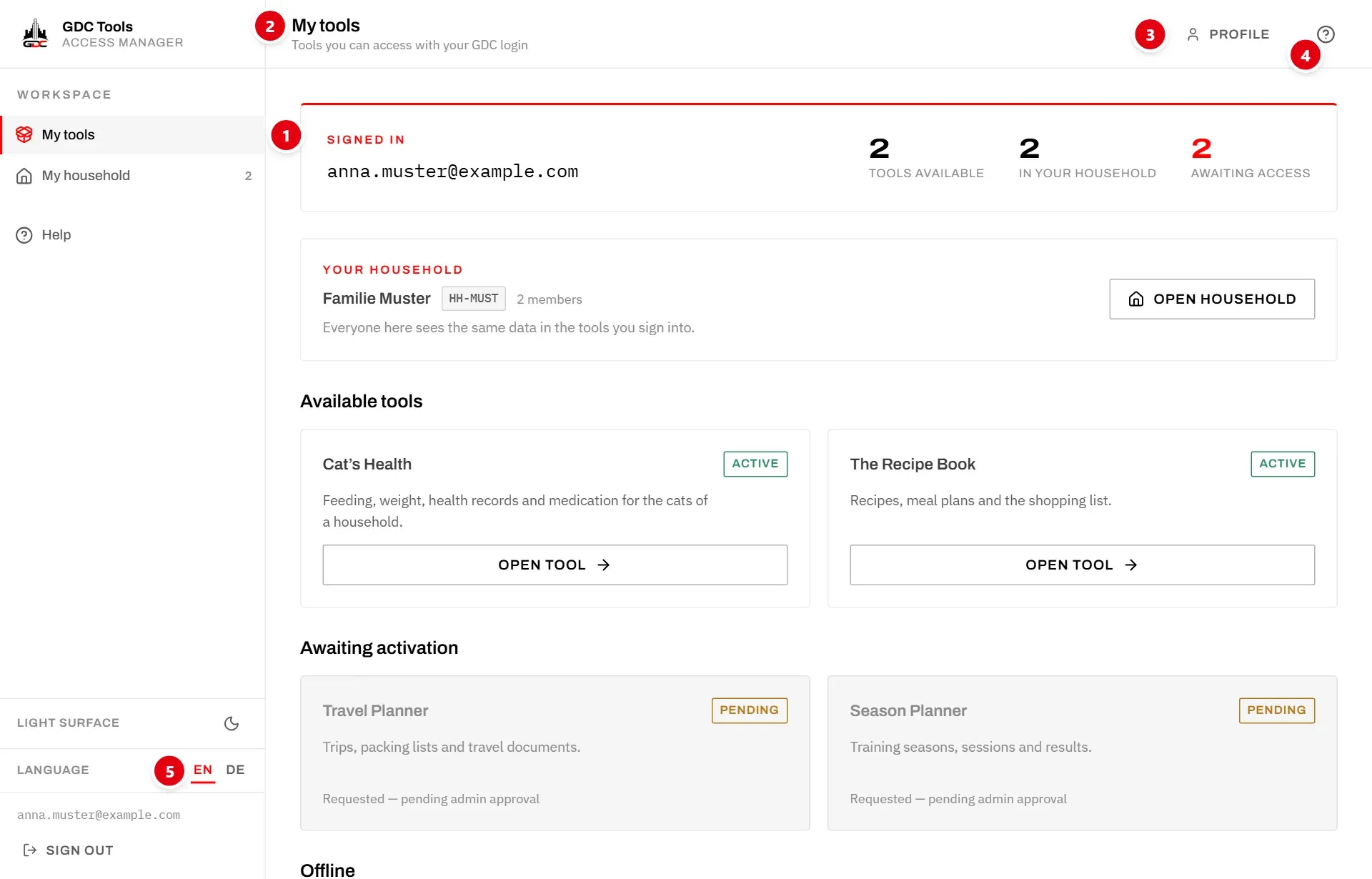
- 1 The menu. Everyone has My tools and My household. The number next to My household is how many people are in your household. Below them is Help, the user guide you are reading.
- 5 At the bottom of the menu: the language, the light or dark surface, your email address and Sign out.
The header
The bar at the top shows where you are and what you can do from anywhere.
- 2 The title of the screen, with a line on what it is for.
- 3 Profile opens your login details and lets you change your password. See Profile.
- 4 ? opens the help for the screen you are on. See Help for this screen.
Help for this screen
? in the header opens a panel with the part of this guide that explains the current screen. It stays open while you move around and always shows the help for the screen you are on.
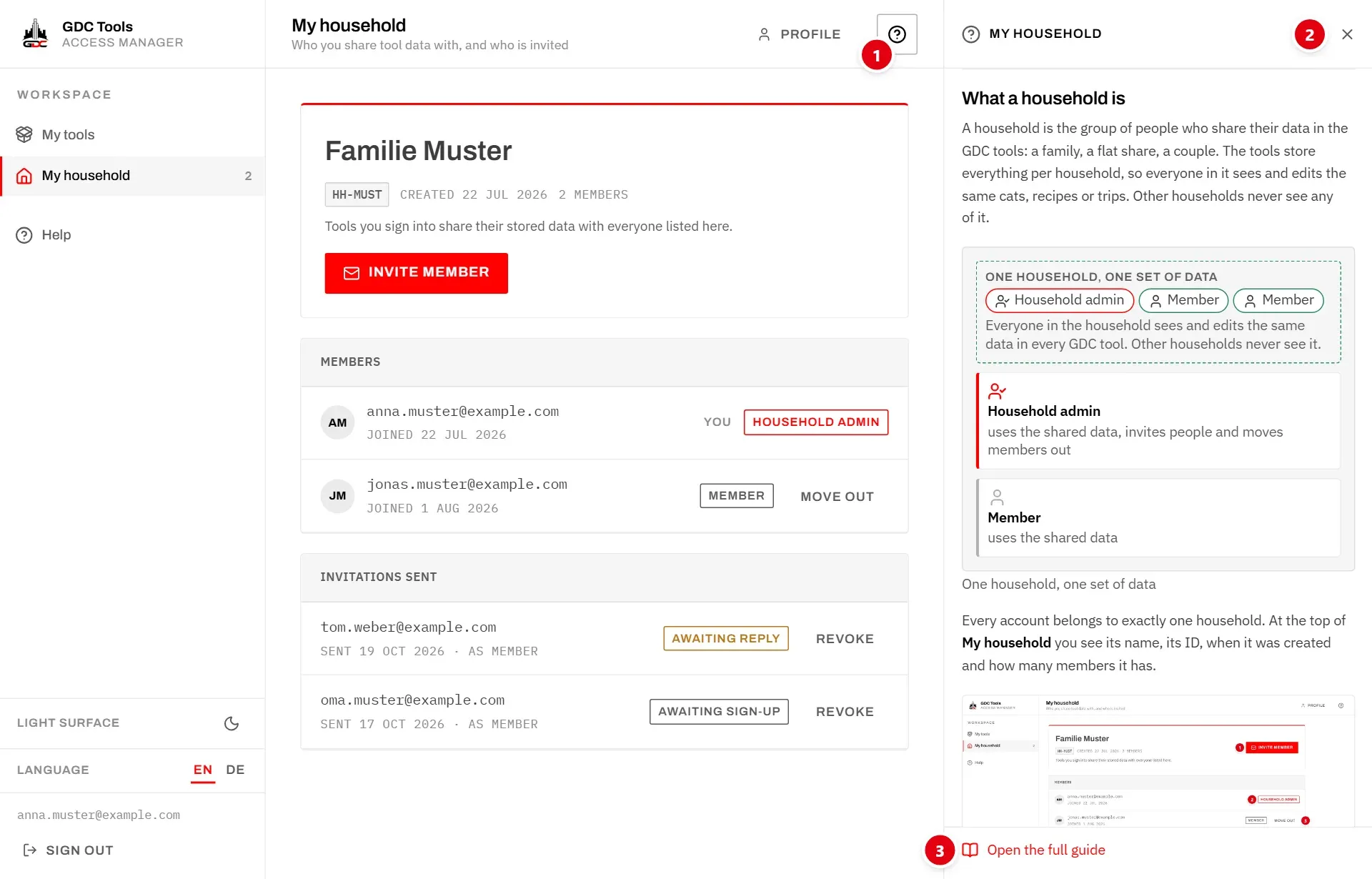
- 1 ? opens and closes the panel.
- 2 The panel’s title is the topic it shows. × closes it.
- 3 Open the full guide opens the whole topic as a page, at the same place.
On a narrow window the panel opens over the screen; tap beside it or press Esc to close it.
The full guide is under Help in the menu. It starts with Getting started. The guide can also be read without signing in: on the sign-in page, choose How does this work?.
Language
The Tools Manager speaks English and German. EN and DE at the bottom of the menu switch the language straight away; on the sign-in pages they are at the top. The choice is kept on this device.
Light and dark surface
The moon or sun icon next to Light surface or Dark surface switches between a light and a dark appearance. Until you choose, the Tools Manager follows your device’s setting.
Sign out
Sign out at the bottom of the menu ends your session on this device. Sign out on shared computers.
You stay signed in otherwise, for up to 30 days of not using the Tools Manager. Signing out here does not sign you out of the tools; each tool has its own sign-out.