
Your login
Profile in the header opens your login details.
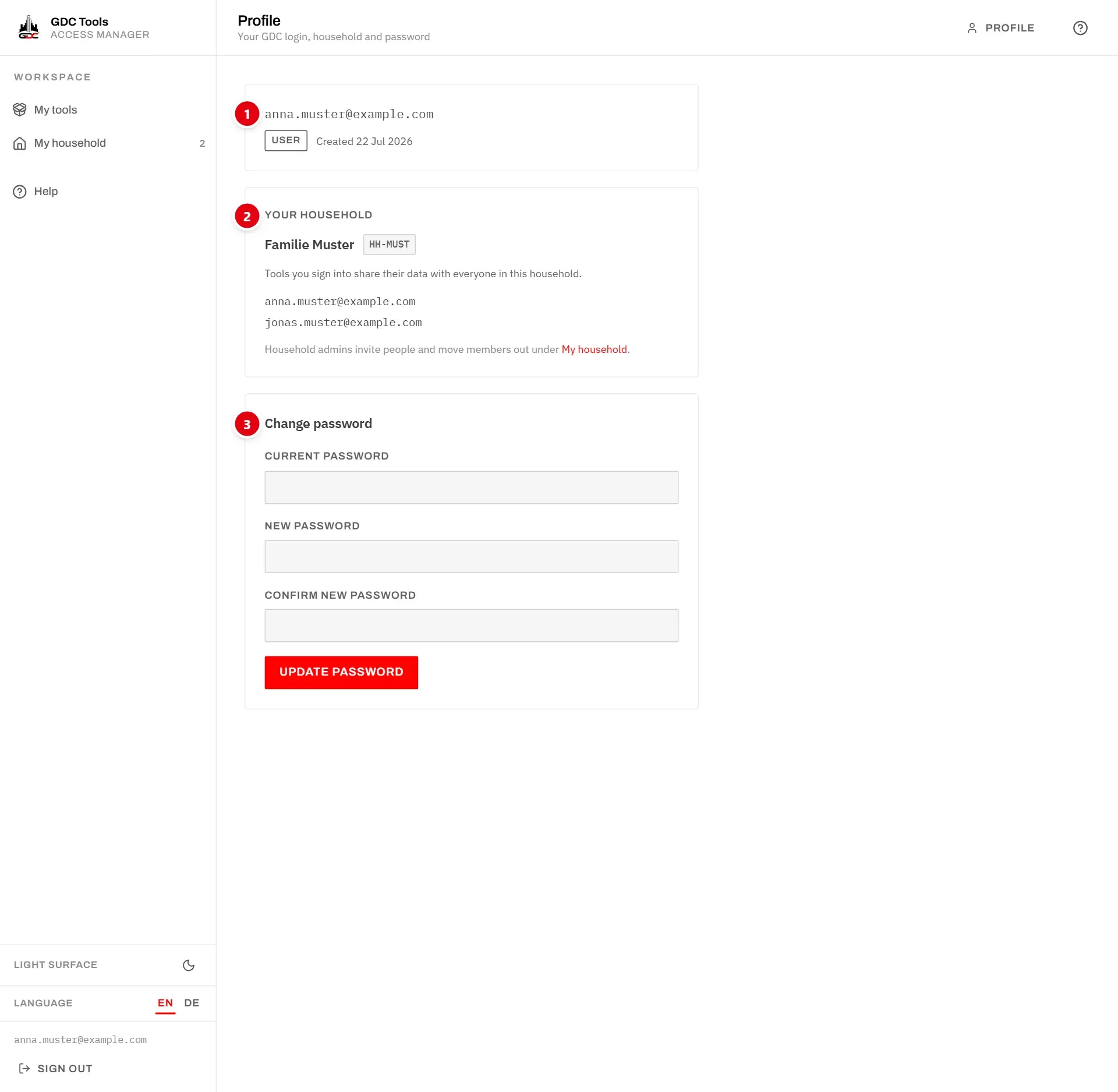
- 1 Your email address, which is also your login name, your role and the day the account was created. The role is User for everyone except the GDC administrators, who see Admin.
The email address cannot be changed. If you need a different one, write to dev@gdc-world.de.
Your household
- 2 Your household shows the name and ID of your household and everyone in it. The tools you sign into share their data with all of them.
This card only shows the household. Household admins invite people and move members out on My household. See My household.
Change your password
- 3 Change password:
- Enter your Current password.
- Enter the New password, at least 8 characters, and again under Confirm new password.
- Choose Update password.
Your password has been updated. confirms the change. The new password applies everywhere: here and in every tool. If you have forgotten your current password, sign out and use Forgot password? on the sign-in page. See Troubleshooting.
Delete your account
To have your account deleted, write to dev@gdc-world.de or use the contact form. An administrator deletes it, together with your tool access, notifications and history, and you get this email:
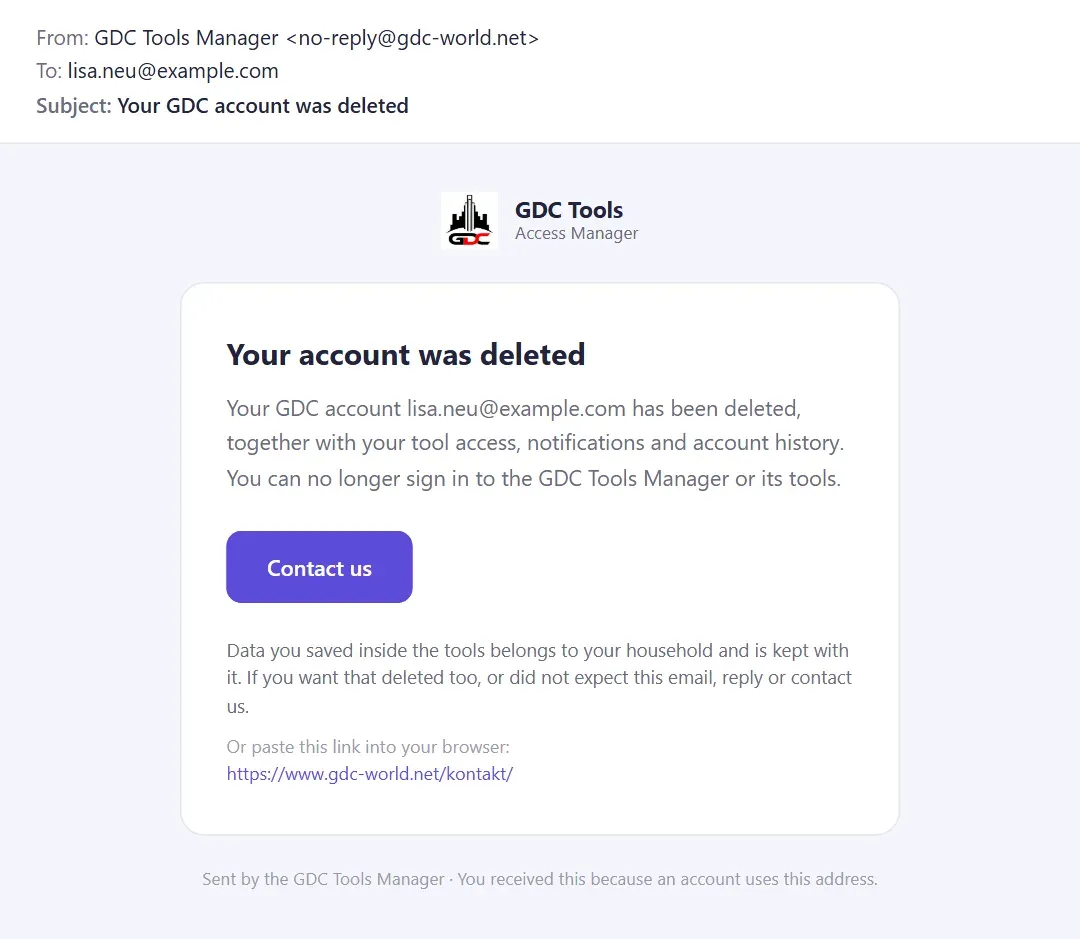
Data you saved inside the tools belongs to your household and is kept with it, for the other members. If you want that deleted too, say so in your message. More in the privacy policy.