
What a household is
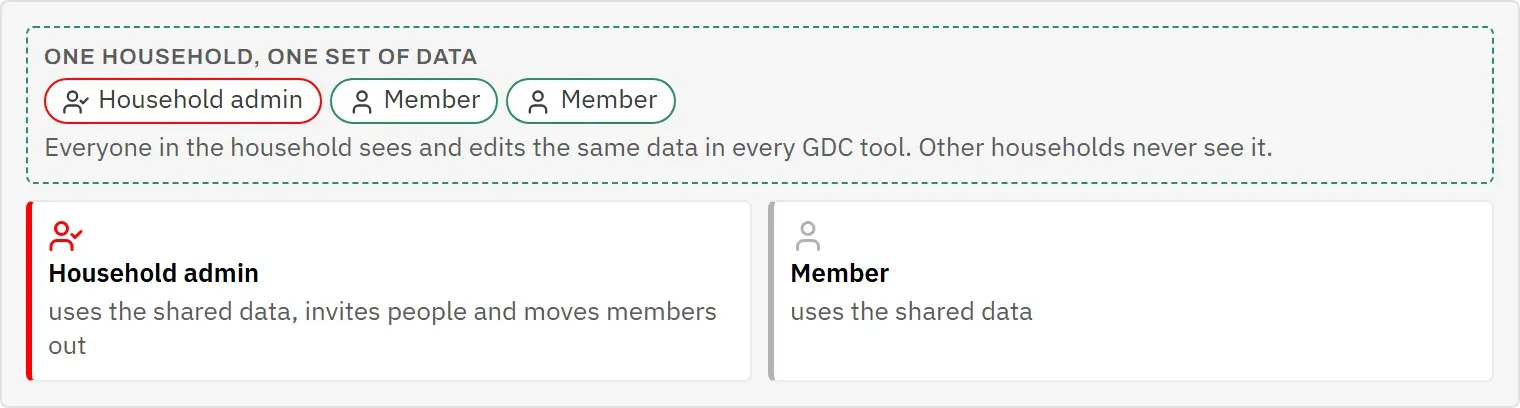
A household is the group of people who share their data in the GDC tools: a family, a flat share, a couple. The tools store everything per household, so everyone in it sees and edits the same cats, recipes or trips. Other households never see any of it.
Every account belongs to exactly one household. At the top of My household you see its name, its ID, when it was created and how many members it has.
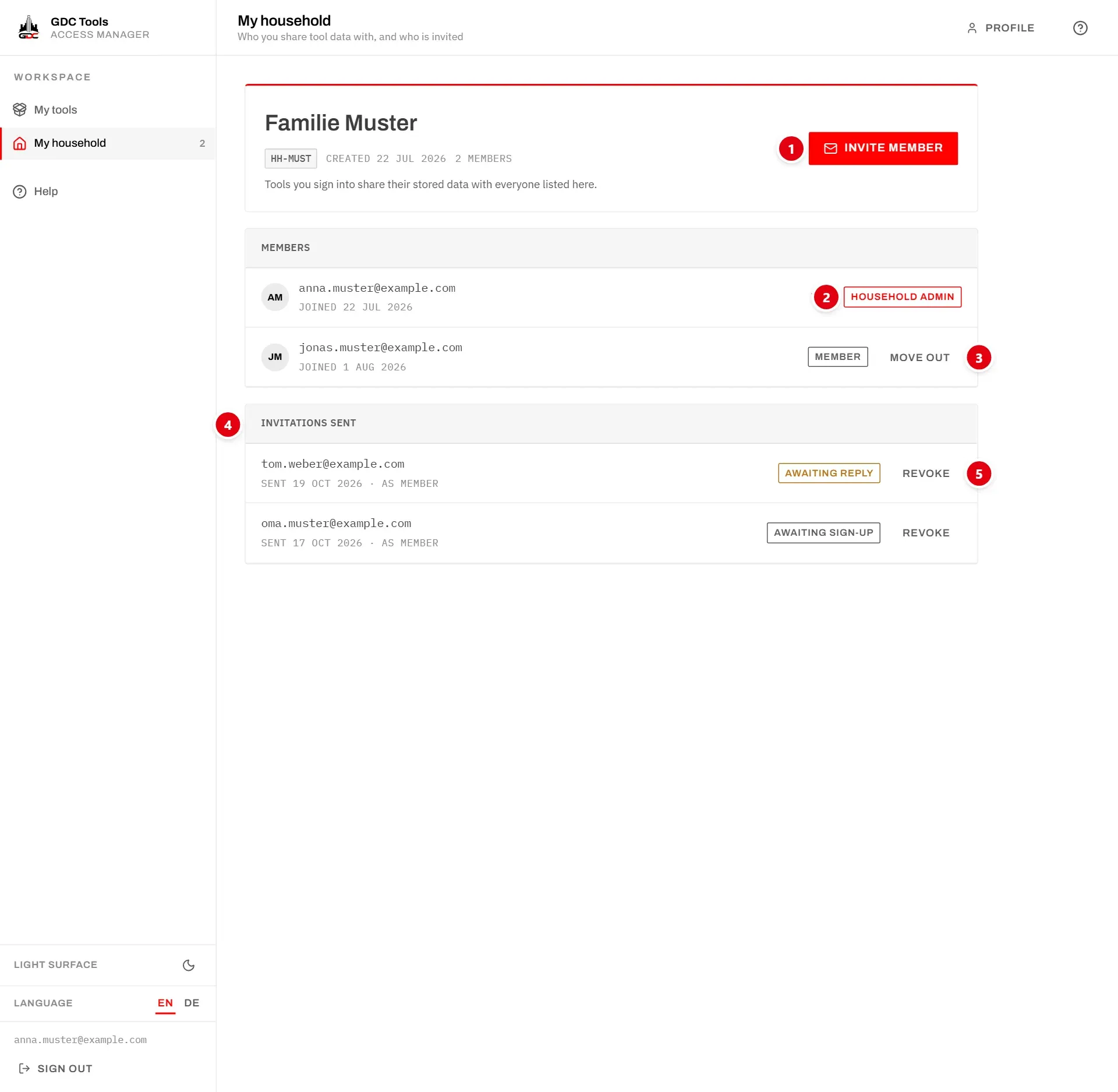
- 1 Invite member: only for household admins. See Invite someone.
- 2 The role of each member. See Roles.
- 3 Move out: only for household admins. See Move someone out.
- 4 Invitations sent: only for household admins. See Invitations sent.
- 5 Revoke withdraws an invitation.
Members
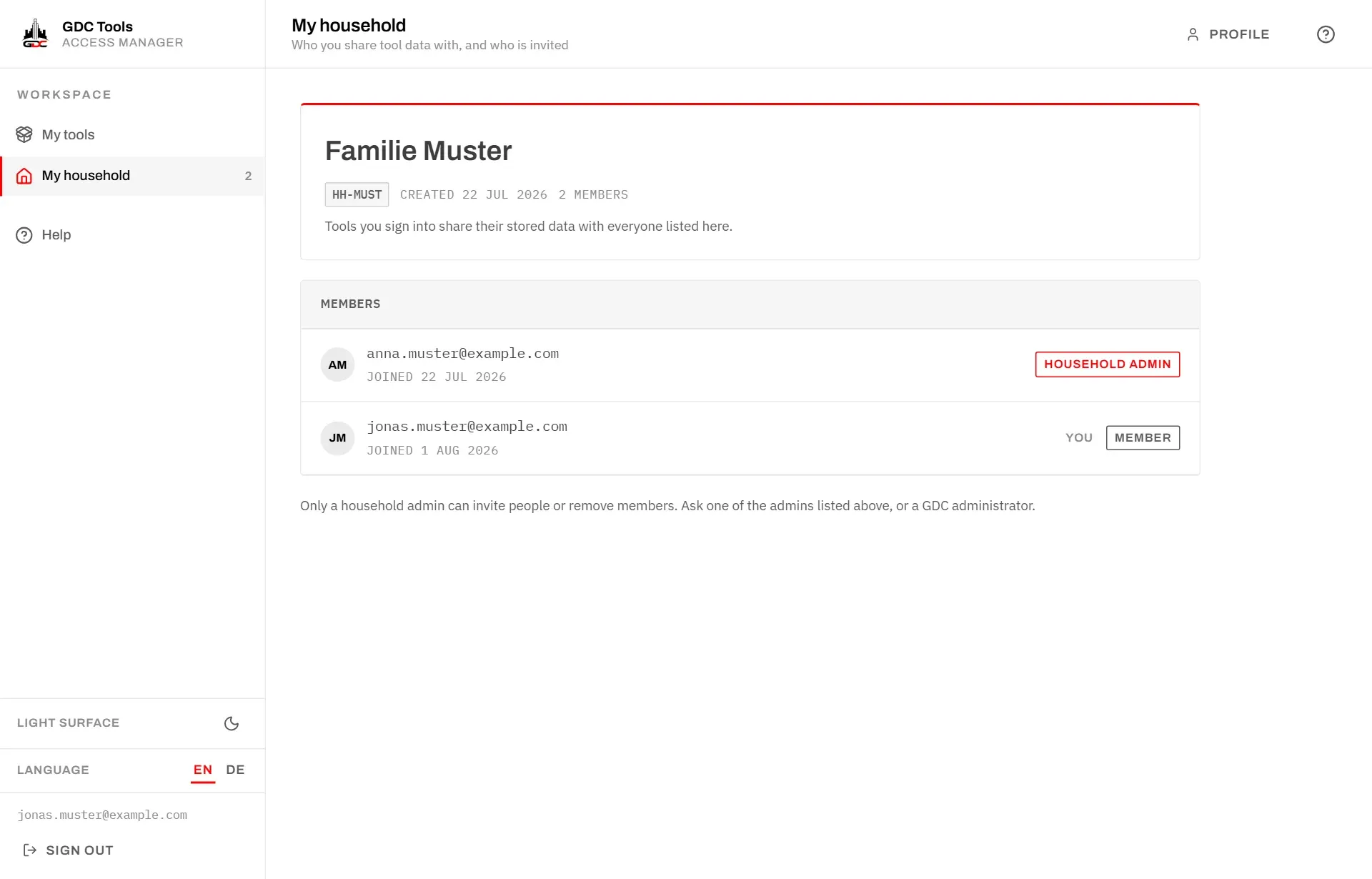
Members lists everyone in the household with their email address, the day they joined and their role. Your own row is marked You.
Roles
There are two roles in a household:
- Household admin: uses the shared data, invites people and moves members out.
- Member: uses the shared data.
When you create your account on your own, you are the household admin of your own household. When you join through an invitation, you get the role the invitation names.
A household always has at least one household admin. If the last one leaves, the member who has been in the household longest becomes household admin automatically.
As a member, you see the members but no buttons, and the note Only a household admin can invite people or remove members. Ask one of the household admins listed, or a GDC administrator.
To change the role of someone who is already in the household, write to dev@gdc-world.de.
Invite someone
Household admins bring people in by invitation. Nobody joins without agreeing.
- Choose Invite member.
- Enter the person’s address under Email address. The Tools Manager never shows you a list of other users, so type the address.
- Under Role in this household, choose Member — uses the shared tool data or Household admin — can invite and manage members.
- Choose Send invitation.
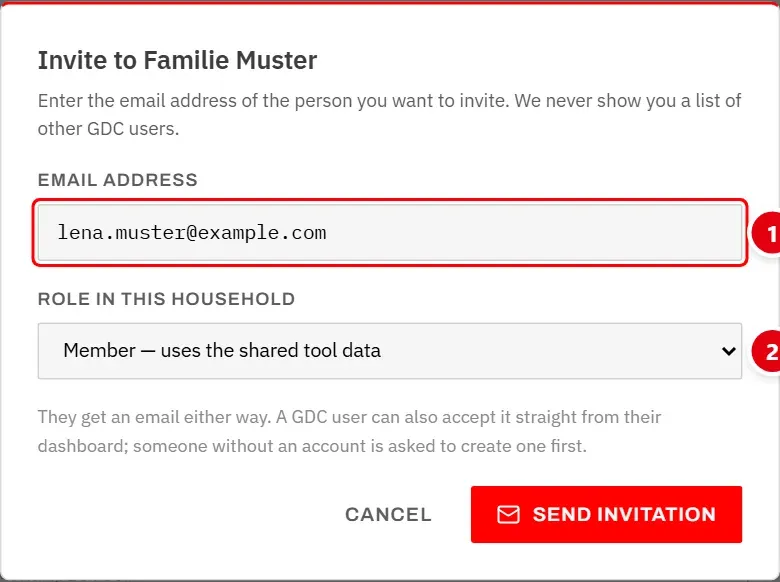
- 1 Email address of the person you invite.
- 2 Role in this household they will have.
The person receives an email either way. What happens next depends on whether they already have an account:
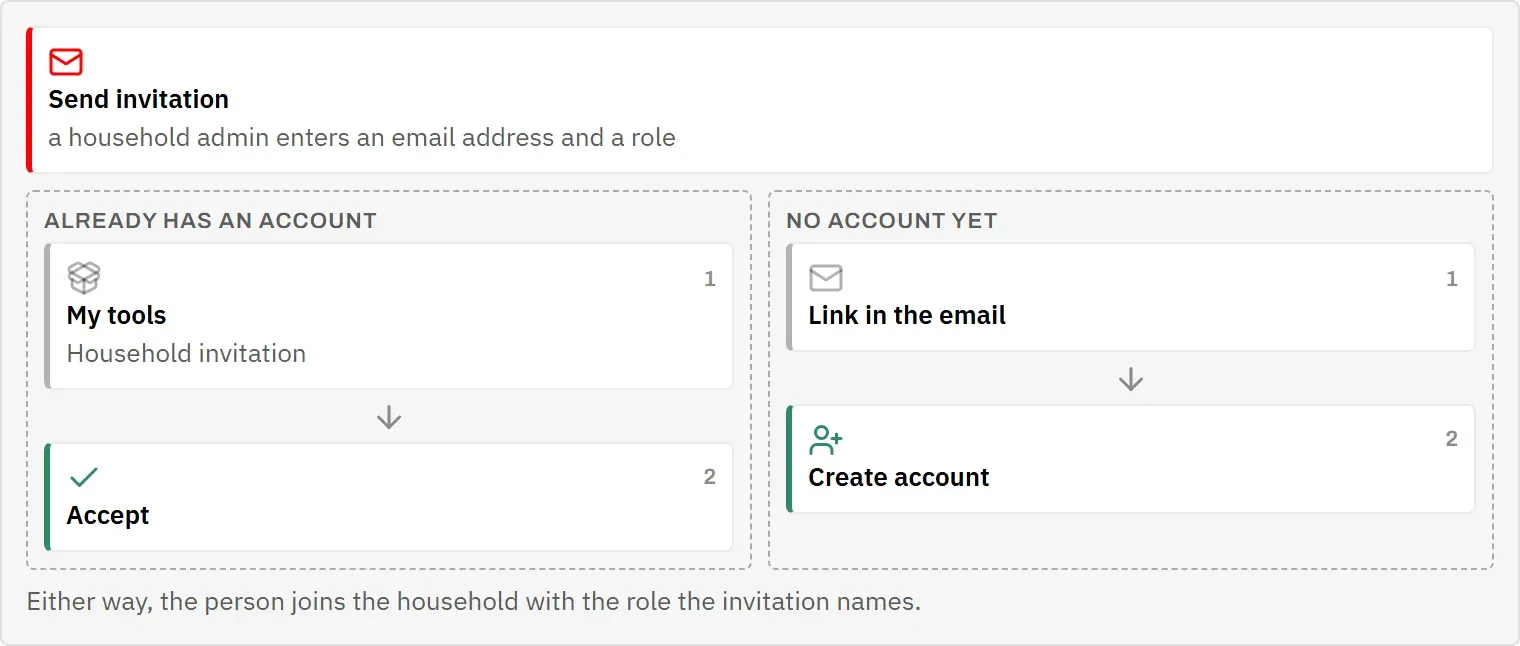
- They have an account: the invitation also waits on their My tools, where they accept or decline it.
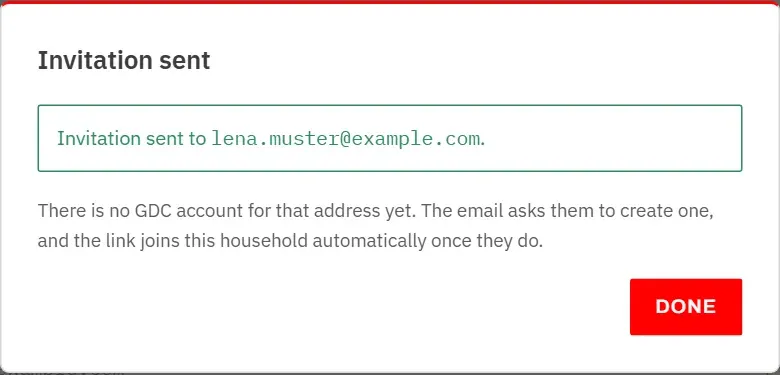
- They have no account yet: the email asks them to create one. Signing up through its link joins your household automatically.
Some invitations are refused, with a message saying why:
- That is your own address.
- This person is already a member of this household.
- An invitation is already pending for this address.
- The person already shares another household with other people. Everyone can only be in one household at a time, so they have to be moved out of that one first, by its household admin.
Invitations sent
Household admins see the open invitations under Invitations sent, with the address, the date, the role and the state:
- Awaiting reply: the person has an account and has not decided yet.
- Awaiting sign-up: there is no account for that address yet.
Revoke withdraws an invitation; the link in the email stops working. An invitation that is not answered within 30 days expires by itself. Once a person accepts, they appear under Members.
Move someone out
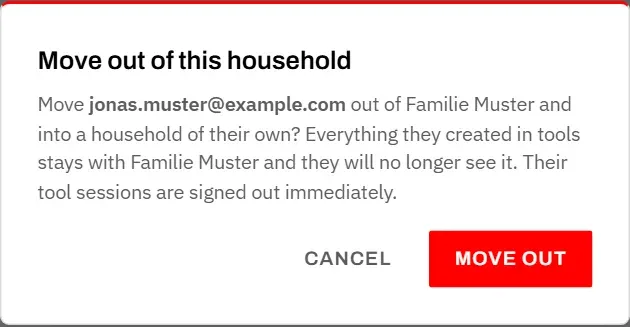
Move out takes a member out of your household. It is offered to household admins, on every row except their own.
What happens:
- The person gets a new household of their own and becomes its household admin.
- Everything they created in the tools stays with your household. They no longer see it.
- They are signed out of every tool at once.
You cannot move yourself out. To leave a household, ask one of its other household admins, or a GDC administrator, to move you out. Once you are on your own again, other households can invite you.