
The game at a glance
The game page has everything about one game in one place: who plays, when it starts in Germany, and the score once it has one. Open it by tapping a game anywhere in the app: on the schedule, the dashboard, the watchlist or the Live screen.
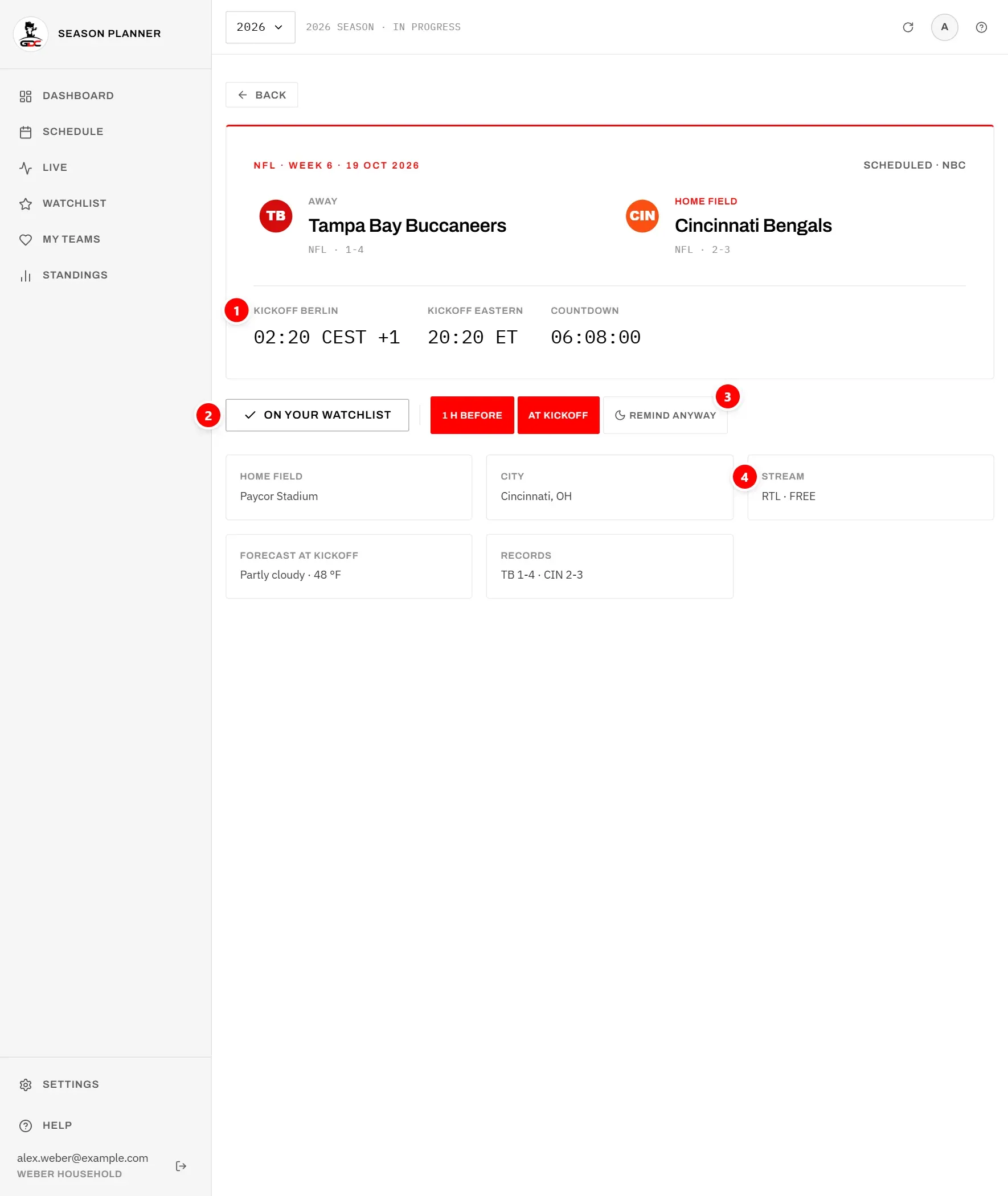
The card at the top shows:
- the league, the week and the date in Germany, for example “NFL · Week 6 · 19 OCT 2026”, and on the right the state of the game, for example “Scheduled · NBC”, “Live · Q3 08:18” or Final,
- the away team on the left, marked Away, with its league and record below,
- the home team on the right, marked Home field, also with its league and record below (the stadium is listed under The facts),
- the score of each team once the game has started. The leading team’s score is highlighted; on a tie, including 0–0, neither is. A hidden score shows ”•••”; tap it to show it (see Hidden scores).
Tap a team name to open its team page.
Below the teams are three times (1):
- Kickoff Berlin: the kickoff in German time, with CEST in summer and CET in winter. A “+1” means that in Germany it is already the next day, as on the cards in the schedule,
- Kickoff Eastern: the kickoff in US Eastern time (ET), the time US schedules are quoted in,
- Countdown: the time left until kickoff, ticking every second. During the game this becomes Clock with the quarter and game clock, and after the game Result with the final score, away team first.
TBD means the kickoff time has not been announced yet. More on the two times in Kickoff times.
Use Back at the top to return to where you came from.
In an archive season the page is a read-only record: it shows the game and its result, but no buttons for the watchlist, watched or reminders.
Watchlist, watched and reminders
The buttons below the card decide what the app does for you with this game. They appear in the current season and in a planning season, not in an archive season.
Add to watchlist (2) puts the game on your watchlist. The button then reads On your watchlist. Tap it again to take the game off. This is the same as the star on the game’s card in the schedule: whatever you do here shows there too. See Starring games.
As long as the game is starred and not finished, the reminder buttons (3) appear next to it:
- 1 h before: a reminder one hour before kickoff,
- At kickoff: a reminder when the game starts.
Each can be on (red) or off, independently. A new starred game starts with your defaults from Settings. More in Reminders for one game.
Remind anyway appears only when one of the chosen reminders would fall into your quiet hours. Turn it on to get this game’s reminders even then. See Remind anyway.
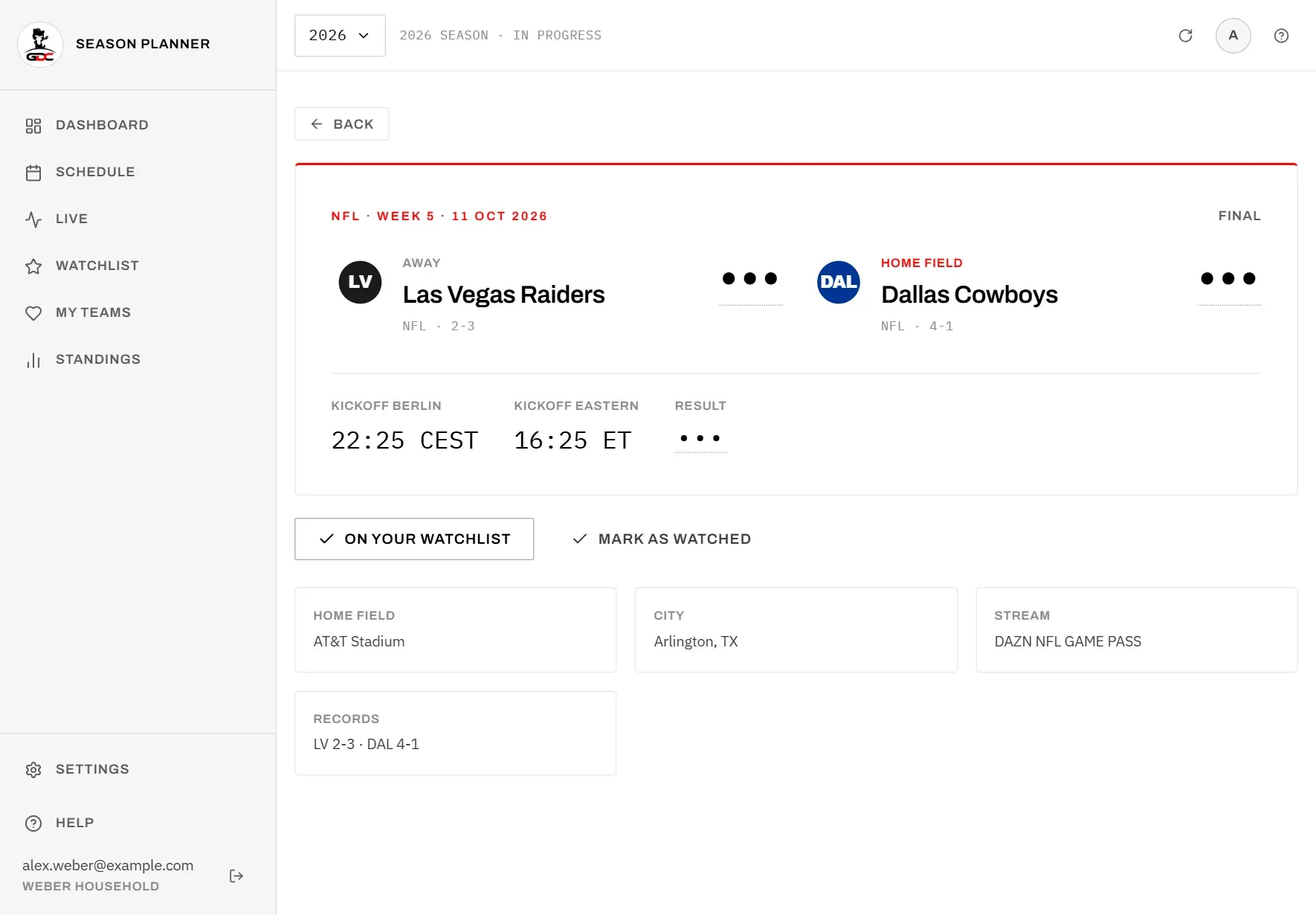
Once a game is finished, the reminder buttons disappear and Mark as watched appears. Tap it after you have watched the game. It then reads Watched, the game moves to the watched part of your watchlist and its score is no longer hidden. Tap it again to undo. See Watched games.
While a game is live, a line below the buttons shows Live, the quarter and clock, and who has the ball. The page refreshes every 20 seconds during the game.
The facts
The small boxes at the bottom collect the details of the game.
| Box | What it shows |
|---|---|
| Home field | The stadium, or “Not announced”. |
| City | The city and state of the stadium. |
| Capacity | The number of seats. Only shown when it is known. |
| Stream | Where you can watch the game in Germany (4). See The stream line. |
| Forecast at kickoff | The weather expected at kickoff, in °F. Only shown when a forecast exists. |
| Records | Both teams’ records (wins-losses) with their abbreviations, away team first. |
Two games at the same minute
If you starred two games that kick off at exactly the same time, you cannot watch both live. The game page warns you so you can decide in time.

The notice Two games at the same minute appears on the page of either game and names the other one. If three or more of your starred games kick off at that minute, it lists all the others and is titled, for example, 3 games at the same minute. It ends with “Watch one live and save the other for later.” Games without a fixed kickoff time are not checked.
What you can do:
- watch one live and the other one later. If you hide scores, its result stays hidden until you mark it as watched (see Hidden scores).
- remove one of the two from your watchlist.
Your watchlist warns about the same pairs, see Clashes.