
Games in progress
The Live screen follows every game being played right now, with the score, the clock and who has the ball, and nothing else. Use it to keep an eye on several games at once.
The Live entry is in the menu only while you look at the current season. Archive and planning seasons have no live games, so the entry is hidden there (see Seasons).
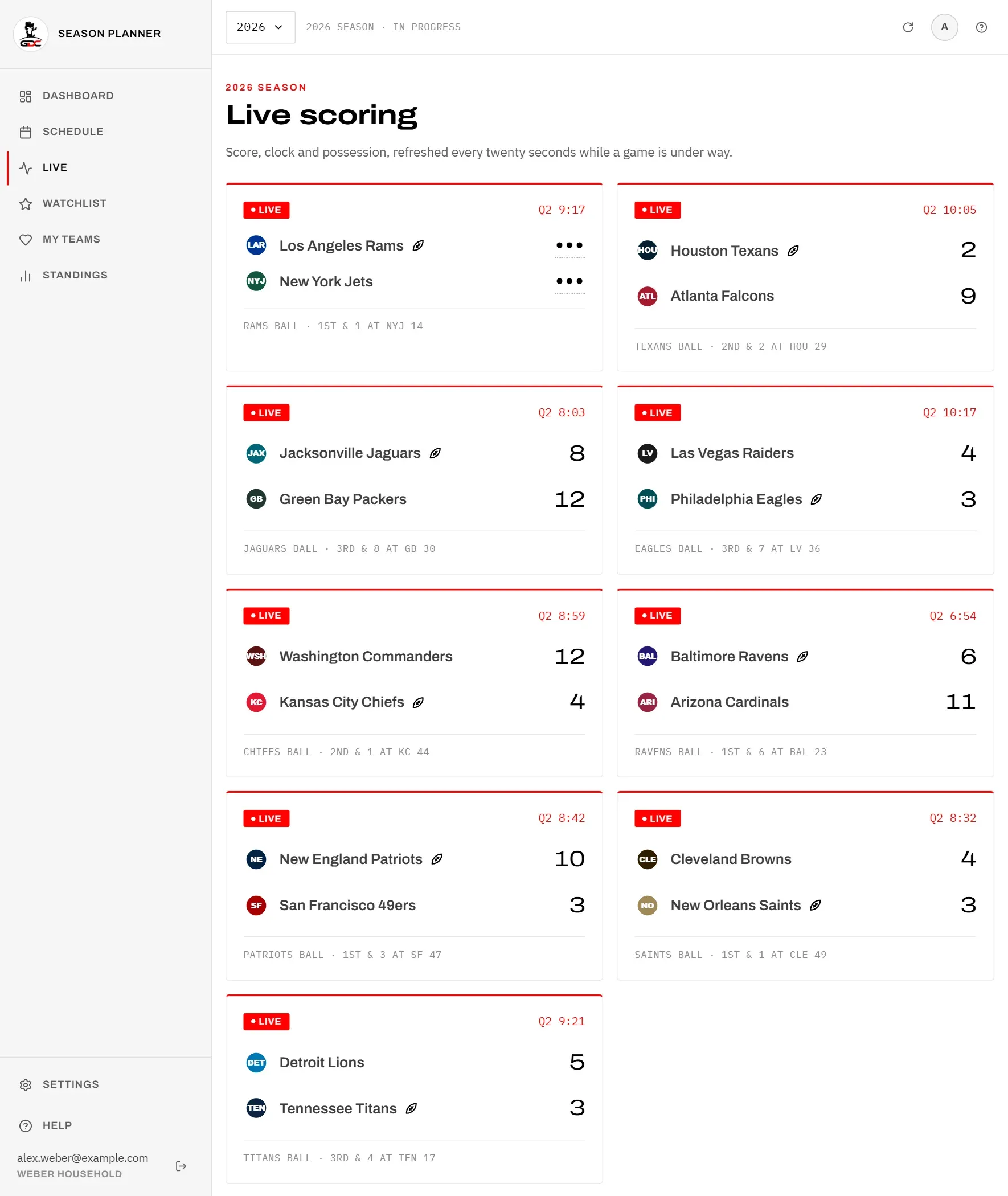
Every game in progress has a card, from both leagues. A card shows:
- Live and the quarter with the game clock, for example “Q2 9:17”,
- both teams, away team first, each with its score,
- a small ball after the team that has the ball,
- at the bottom, who has the ball and the situation, for example “Rams ball · 1st & 1 at NYJ 14”.
If a score is hidden, you see ”•••”. Tap it to show the score until you leave the screen. See Hidden scores.
Tap a card to open the game page.
The screen refreshes every 20 seconds by itself. You do not need to reload it.
If no game is running, you see Nothing live right now. The screen fills up as soon as a game kicks off.
Starting next
Starting next shows the games that are about to begin, so you know what comes on after the current games. It lists games that kick off within the next half hour.
Each row shows the two teams, the kickoff in Berlin time and US Eastern time (or Kickoff time TBD if the time is not confirmed), and the US TV network. See Kickoff times.
Tap a row to open the game page. From there you can star the game and set reminders (see Reminders).
When no game is about to start, this part is not shown.