
NFL and college football
The standings show how every team is doing this season, so you can see which games matter. The NFL and college football are shown separately.
- Open Standings in the menu.
- Tap NFL or NCAA Football at the top.
The title says which league you are looking at: NFL standings or College football standings. In an archive season it reads “final standings” and shows the records as the season ended. In a planning season there are no records yet: they appear once the season opens. See Seasons.
Records update as games finish. In the current season the line below the title says so and ends with “Tap the heart to follow a team.”, in both leagues. If nothing has been published for a league and season, you see No standings yet.
The AP Top 25
College football has no single league table, so the ranking that people talk about is a poll: journalists vote every week on the best teams. The app shows the AP Top 25 poll above the college tables.
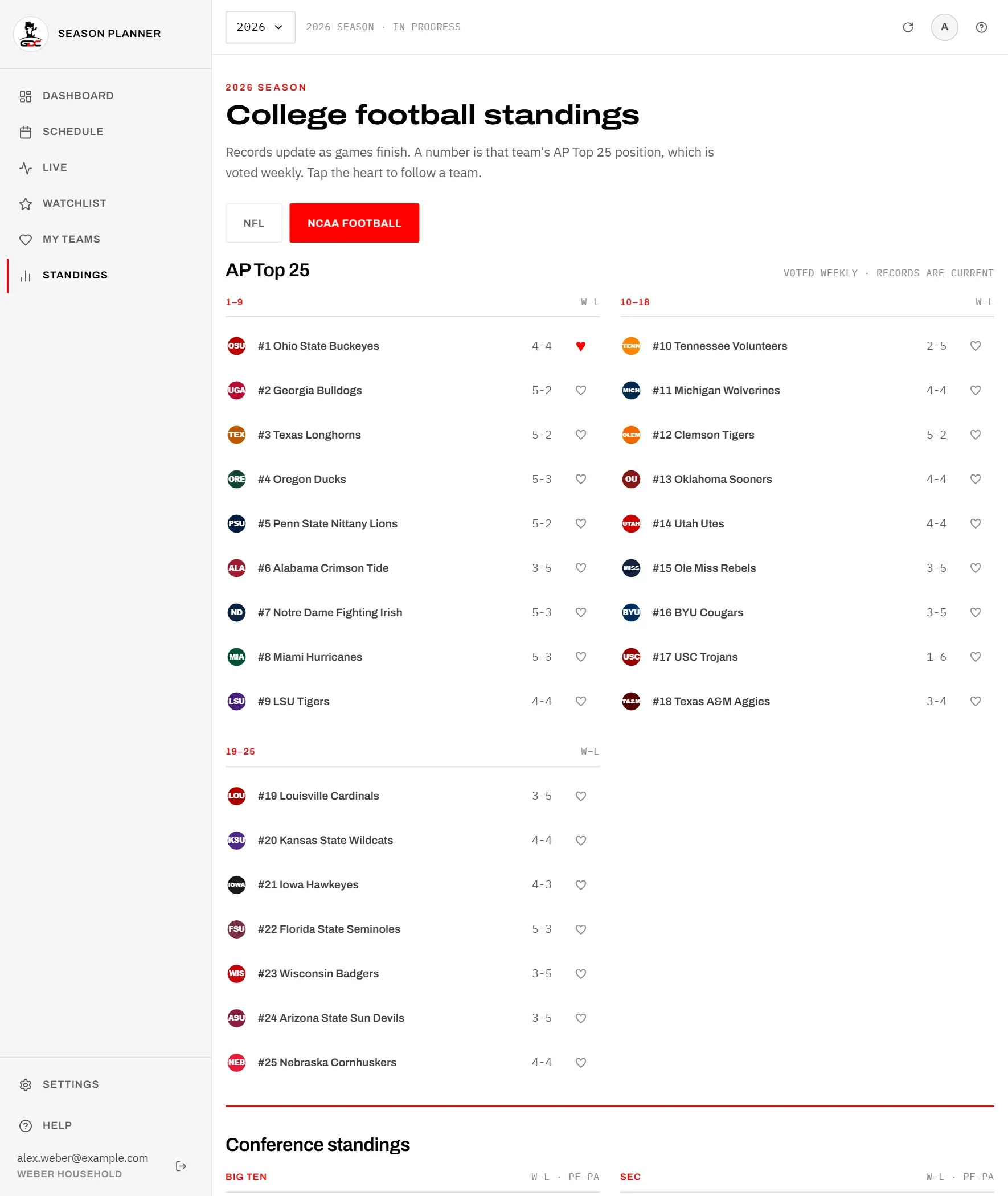
The whole Top 25 is shown, split into three blocks by position: “1–9”, “10–18” and “19–25”. Each row shows the team’s position and name, its record (W–L) and the follow heart.
The line Voted weekly · records are current explains the two numbers:
- the position (for example “#1”) is the team’s place in the latest weekly vote,
- the record is up to date and changes as soon as a game finishes.
That is why a team can have a worse record than the team below it: the vote has not caught up yet.
A ranked team’s position is shown wherever its name appears, for example “#2 Georgia Bulldogs” on a game card or in the tables below.
The tables
The tables show every team grouped as the league is organised: in the NFL by division (for example AFC East), in college football by conference (for example SEC). In college football they are headed Conference standings.
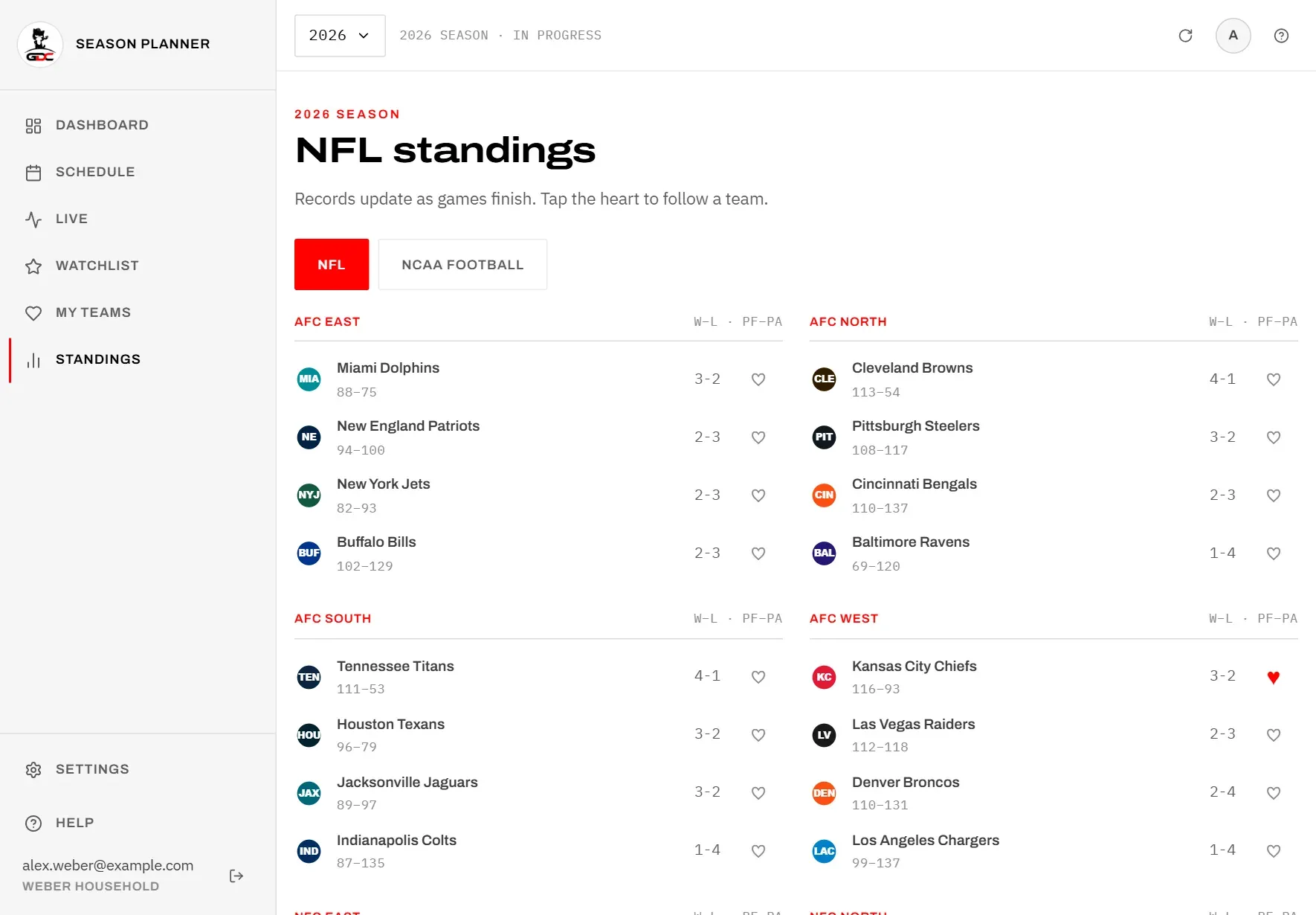
Each row shows:
- the team logo and name,
- below the name, the points the team scored and conceded this season (PF–PA), for example “88–75”,
- the record (W–L), with ties added as a third number when there are any,
- the heart to follow the team.
Tap a team name to open its team page.
Following a team
Following a team keeps its games close at hand: they are collected under My teams and you can filter the schedule to them.
- Find the team in the poll or in a table.
- Tap the heart (♡) at the end of its row. It fills in red (♥).
Tap the red heart again to stop following. A team that is in the poll and in a table has a heart in both places; both do the same.
The heart here is the same as the Follow button on the team page. Your followed teams are listed under My teams, and the schedule offers the filter My teams only (see Filters).
Following a team (the heart) is not the same as starring a game (the star). It does not put any game on your watchlist or send reminders.