
Follow a team
Follow the teams you care about, and the app collects all their games for you. You follow a team once: it stays followed from season to season.
- Open My teams in the menu.
- Tap Edit teams at the top right.
- Choose the league: NFL or NCAA Football.
- Type part of the team’s name or its abbreviation into the search box.
- Tap the heart next to the team. It fills in red: you now follow the team.
- Tap Done when you are finished.
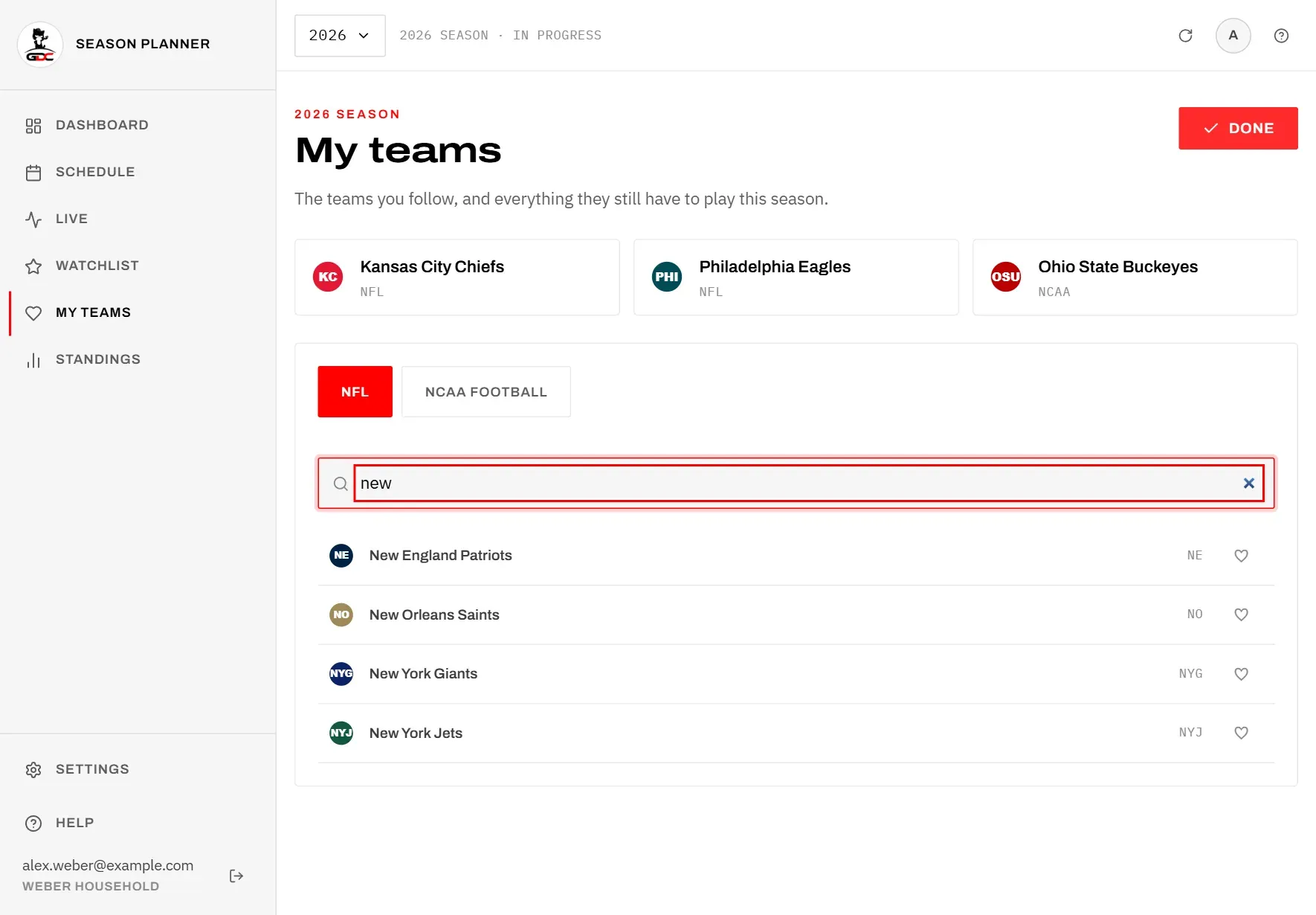
Good to know when searching:
- Teams you already follow are listed first, so the list also shows who you follow in that league.
- At most 60 teams are shown at once. If there are more, the list says how many and asks you to keep typing to narrow it.
- To stop following a team, tap its red heart again.
- The heart is only for following teams. The star is for your watchlist of games.
You can also follow a team in two other places:
- On Standings, with the heart in the team’s row.
- On a team’s own page, with the Follow button, which has a heart. It then reads Following; tap it again to stop.
Your teams
The teams you follow appear as tiles at the top of My teams, each with its league.
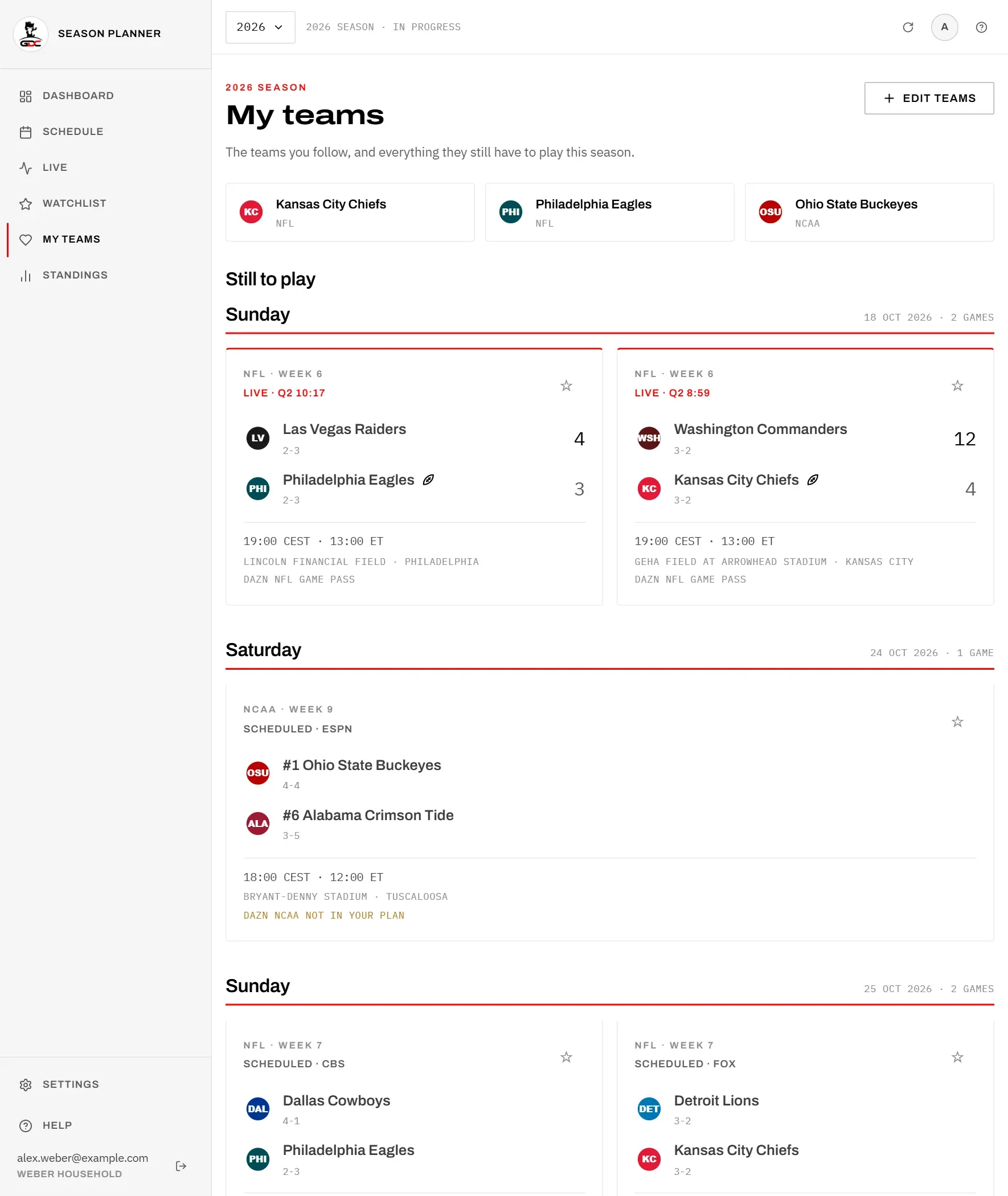
Tap a tile to open the team’s page, with its figures and its game this week. See Team.
Games still to play
Under Still to play you see every game your teams have left this season, grouped by day in Berlin time. This answers “when do my teams play next?”, not only “who plays this weekend?”.
- Games that are under way are listed too, marked live.
- Each card works like a card in the schedule. Tap the star to put the game on your Watchlist, or tap the card to open the game. In an archive season the cards have no star and no tick, because the archive cannot be changed.
- When no games are left, you see Nothing left this season.
In the schedule, the filter My teams only shows only your teams’ games for the week you are looking at. It appears once you follow at least one team. See Schedule.
Results
Below the games still to play, Results lists your teams’ finished games, the most recent first. Up to 20 games are shown; when there are more, the line “The 20 most recent results.” says so.
- Each row shows the two teams, the date in Germany and the score. A night game is listed under the Berlin date it kicked off, so it can be one day later than the US date.
- If your score setting hides the score, you see ••• instead. Tap it to see the score for the moment. See Hiding scores.
- Tap a row to open the game.