
What counts as a decision
A decision is something a trip cannot do without, such as a bed for the night. The Travel Planner counts which decisions are made and which are missing. That count is the planned percentage on each trip. The missing ones also make up most of the number beside Open decisions in the menu; see the list.
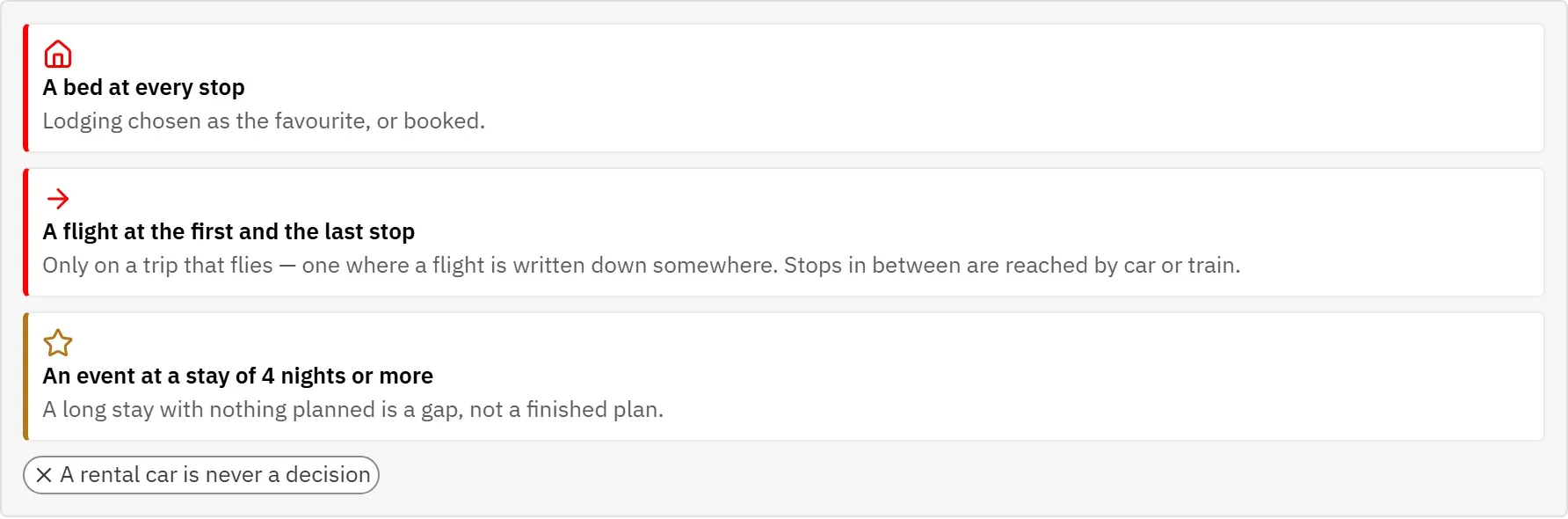
A trip needs:
- Lodging at every stop. One lodging there is booked, or marked as the favourite.
- A flight at the first and at the last stop, but only on a trip that flies. A trip counts as flying as soon as a flight is entered at any of its stops. The stops in between are usually reached by car or train, so they need no flight. A road trip with no flight at all needs none anywhere.
- At least one event at a stay of 4 nights or more. A long stay with nothing planned is a gap, not a finished plan. Meals do not count here.
A rental car is never a decision. Many stops need no car, and counting it would make every city break look unfinished.
Archived options do not count: a lodging that was archived because it sold out leaves its stop without a bed again. How to choose, book and archive options is explained under Stops.
The list
The Open decisions screen collects the missing decisions of all your trips in one list, so you can see what is still to do without opening each trip.
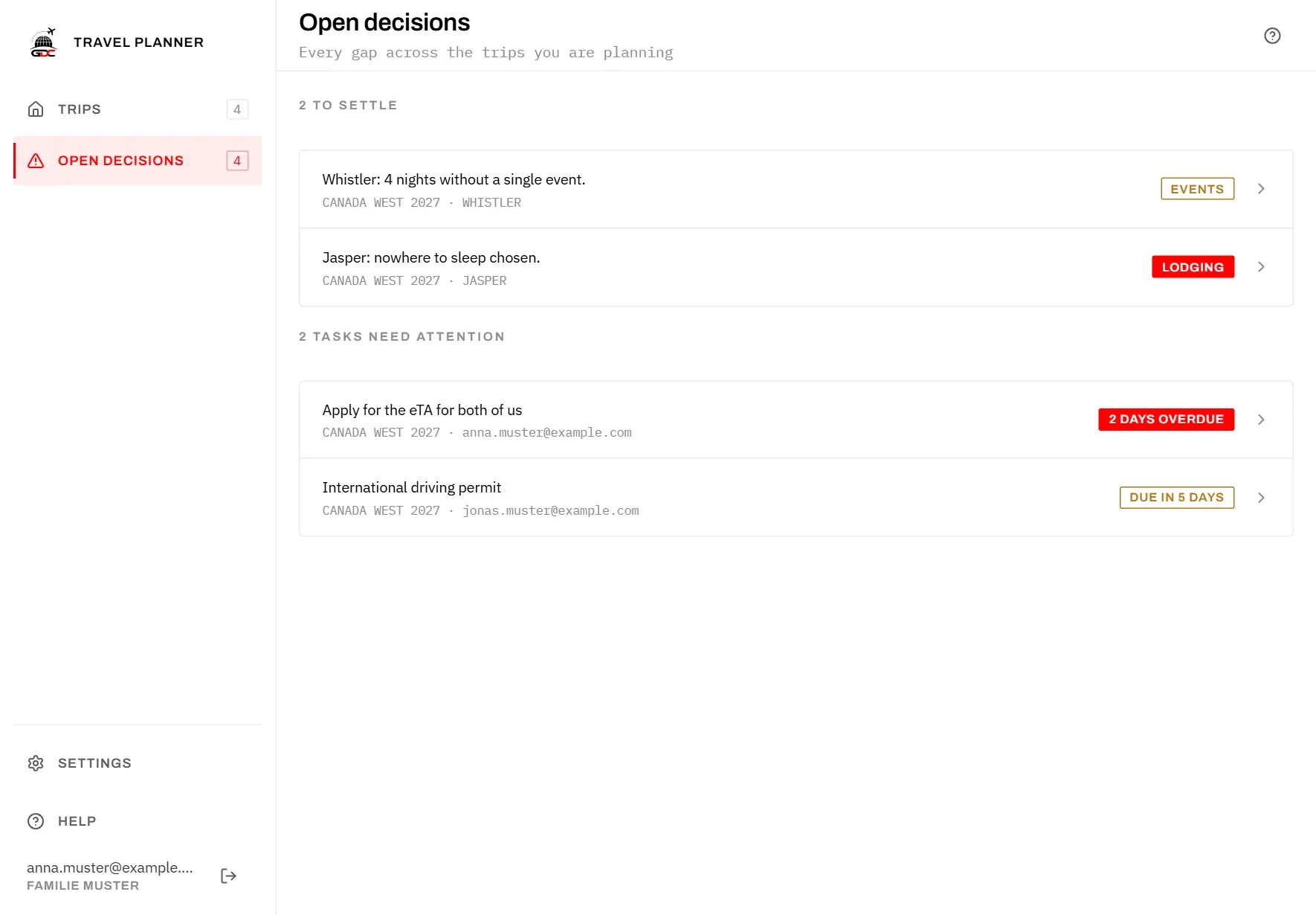
Only trips with the status Planning are included. A finished trip has nothing left to decide, and a draft has not started yet. A draft joins the list when you tap Start planning on its overview. See Trips.
Each row shows:
- What is missing, for example “Jasper: nowhere to sleep chosen.”
- The trip and the stop below it.
- A tag on the right: Lodging or Flight in red, Events in amber.
To settle a decision:
- Tap the row. The stop opens.
- Add the missing option, or mark one as the favourite or as booked.
The row disappears as soon as the decision is made. When nothing is missing, the list says Nothing to settle.
The number beside Open decisions in the menu counts the rows of this list plus the tasks below it, so it matches what the screen shows.
Tasks that need attention
Below the decisions, the screen lists to-dos that are running out of time, across all trips in planning. A task appears here when it is not done and its due date has passed or is at most seven days away.
- The tag on the right says how urgent it is, for example 2 days overdue in red or Due in 5 days in amber.
- The line below names the trip and who is responsible.
- Tap a task to open the trip’s to-dos and deal with it there.
These tasks count towards the number beside Open decisions in the menu, but they are not decisions: they do not change the planned percentage. How to give a task a due date is explained in To-dos.