
Household
Settings is where you adjust the app to your household and to your device. Some settings apply to everyone in the household, others only to the device you are holding. Each section below says which.
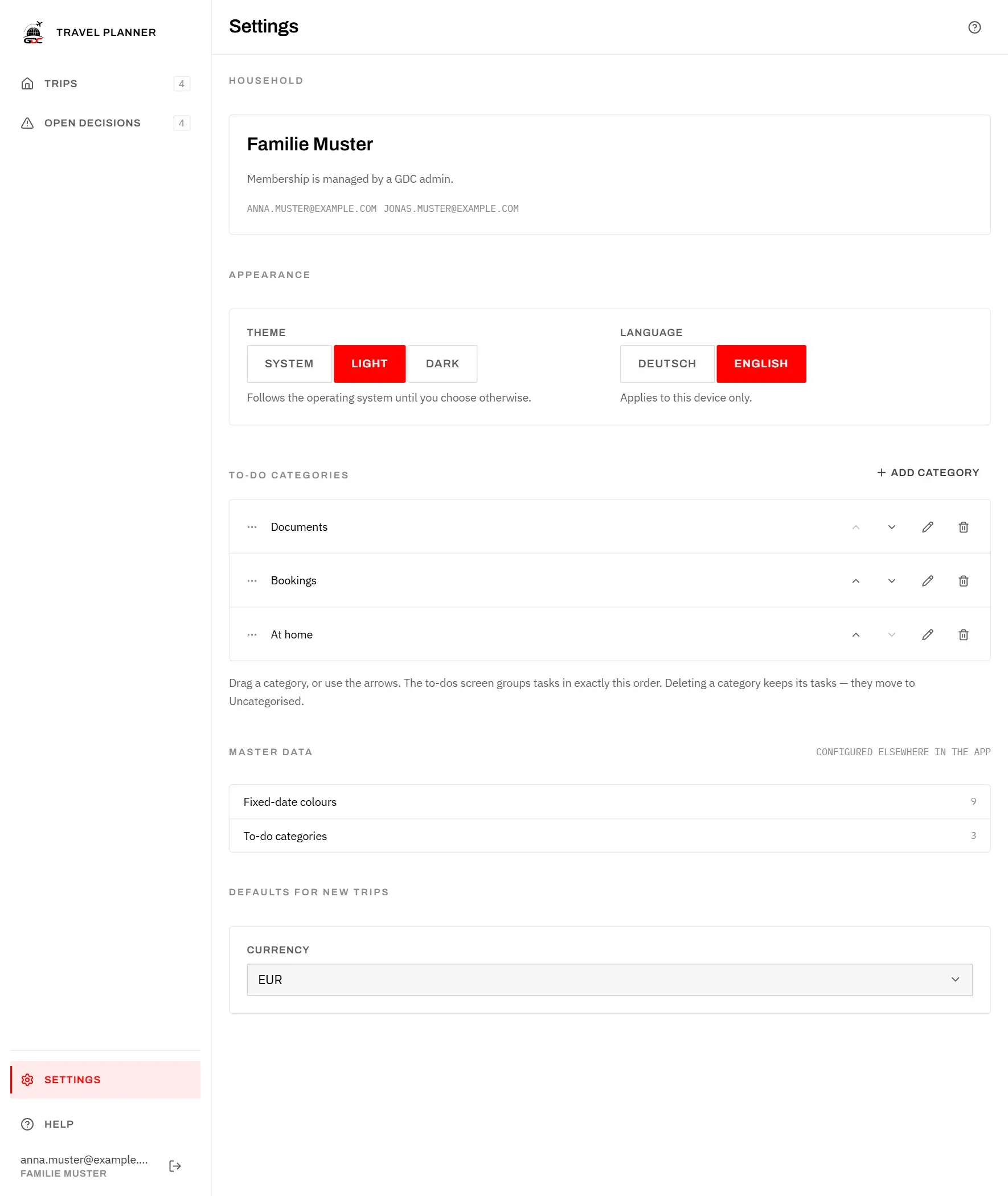
Household at the top shows your household’s name and the e-mail addresses of all its members. You cannot change anything here: membership is managed in the GDC Tools Manager under My household, where a household admin invites people and moves members out. If nobody in your household can, ask dev@gdc-world.de.
Theme
The theme decides whether the app is light or dark. It applies to this device only.
Under Appearance, Theme offers three choices:
- System follows the setting of your iPad, phone or computer, and switches with it. This is the starting point.
- Light always shows the app light.
- Dark always shows the app dark.
Language
The app is available in German and English. The choice applies to this device only, so everyone in the household can use their own language. Until you choose, the app follows your browser: German if the browser is set to German, English otherwise.
Under Appearance, tap Deutsch or English next to Language. The app switches at once, including this guide.
To-do categories
Categories group the to-dos of every trip, for example into documents, bookings and things to do at home. They apply to the whole household.
- Add category at the top right of the section opens a field for the Category name. Tap Save.
- The pencil (Edit) renames a category.
- To change the order, drag a category to its new place, or use the up and down arrows. With a finger, drag it by the three dots at the start of its row. The To-dos screen groups tasks in exactly this order.
- The bin (Delete) removes a category at once. Its to-dos are kept and move to Uncategorised. For five seconds you can tap Undo in the message at the bottom.
As long as there are none, the section says No categories yet.
How to use categories on the to-dos is explained in To-dos.
Master data
Master data gives a quick count of what your household has set up elsewhere in the app. You cannot change anything here.
- Fixed-date colours is the number of colours available for fixed dates: the built-in ones plus those your household has added. Colours are added when you edit a fixed date, see Schedule.
- To-do categories is the number of categories in the section above.
Defaults for new trips
This setting applies to the whole household.
Currency is preselected when you create a new trip. You can still choose another currency for each trip. A choice is saved at once.