
The trip, day by day
Day by day answers the question you ask on the way: what are we doing today? It shows the whole trip as one chapter per stop, with every day of the stay beneath it.
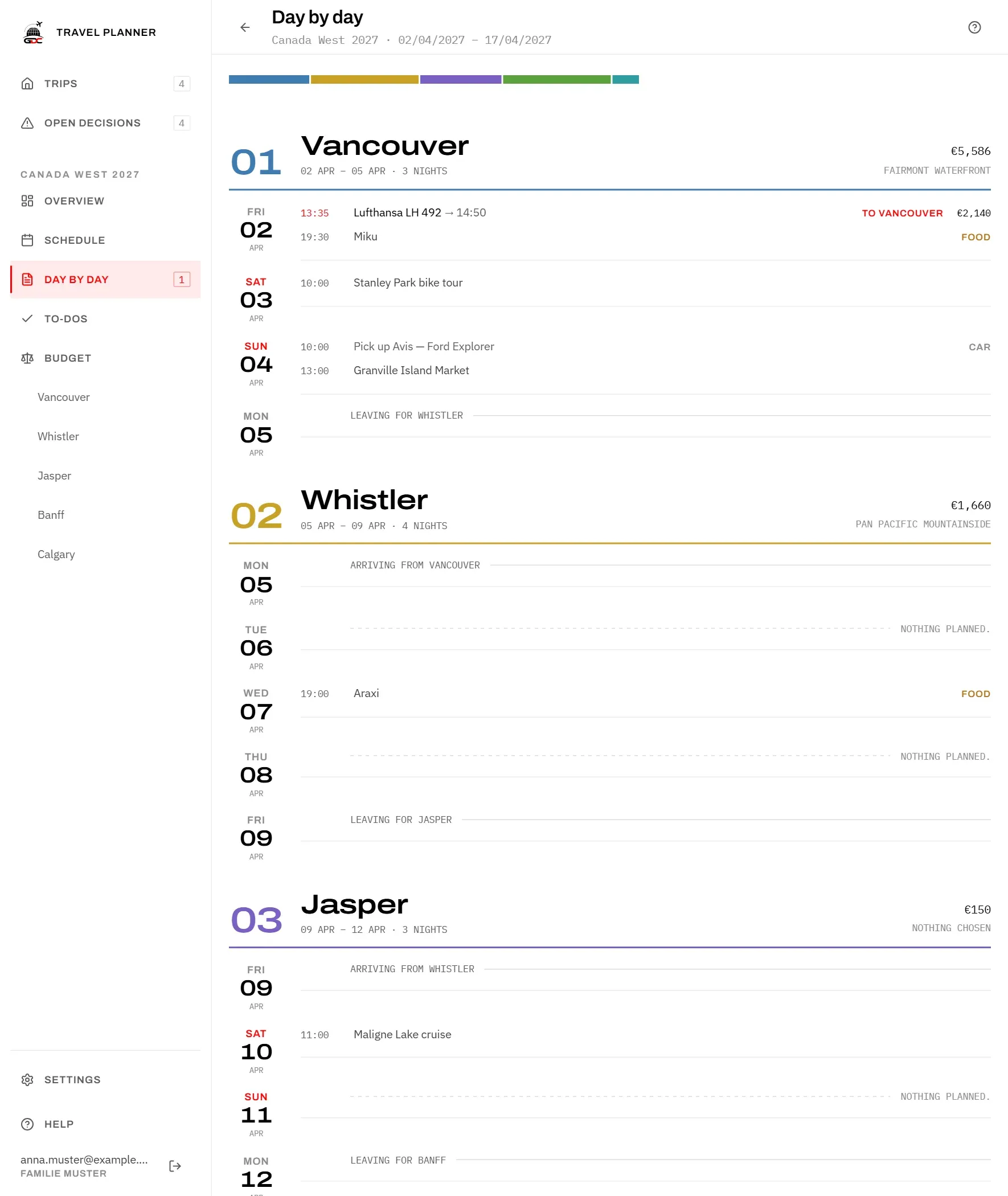
This page only shows what has been decided. To change something, open the stop: tap the chapter’s name or its number.
At the top, a coloured bar shows the shape of the trip: one piece per stop, longer for more nights. Point at a piece to see the stop and its nights.
The chapter heading
Each chapter starts with the stop’s number, its name, its dates and the number of nights. On the right you see:
- what this stop costs in total, including the journey onwards from it;
- the bed: the chosen accommodation, or “nothing chosen”.
The days
Each day shows its weekday and date; Saturdays and Sundays are in red. Next to it, in the order they happen:
- The journey, in red: departure time, the flight or route, the arrival time (“+1” if it lands the next day), where it goes (“to Whistler”, or Going home at the end) and its price. It sits on the day you leave the stop it belongs to. A flight that brings you to the first stop sits on the first day.
- The car, marked Car, on the day you pick it up (“Pick up …”).
- Events, and meals marked Food.
Anything with a time comes first, in clock order; anything without a time follows with a small dot instead of the time. A day with nothing on it says “Nothing planned.”
You put events and meals on their days with Plan the days.
Travel days
On the day you move on, you wake up at one stop and go to bed at the next. That day belongs to both, so it appears twice: as the last day of one chapter and the first day of the next.
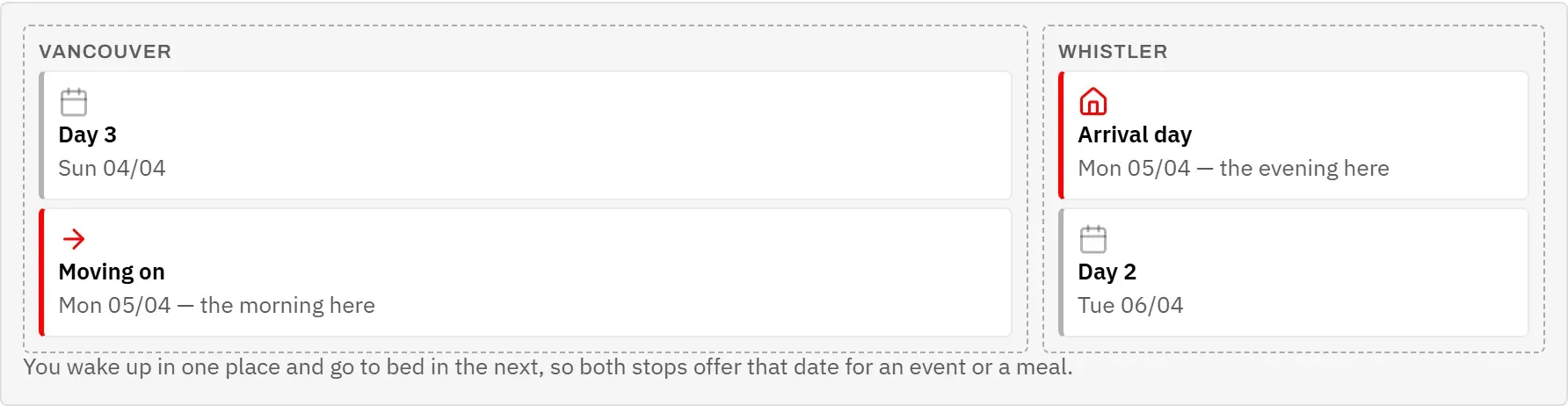
Each half shows only what you planned at that stop, so a morning walk before you leave stays with the place you leave.
So that the repeat reads as a journey and not as a mistake, both halves are labelled:
- The last day of a stop ends with “Leaving for …”, unless a journey on that day already says where you are going.
- The first day of the next stop starts with “Arriving from …”.
Without a day
An event or meal can lose its day: if you shorten a stay or change the route, the day it was planned for may no longer exist. Nothing is moved for you, because the app cannot know which day you would choose instead.
Such entries are listed at the foot of the page under Without a day, with a warning sign. The Day by day item in the menu shows how many there are.
- Tap an entry in the list. Its stop opens.
- Give it a new day there, for example with Plan the days.
Once every entry has a day again, the list and the number in the menu disappear.