
What’s due
The Medicine screen shows at a glance what needs doing: the doses to give today, the vaccinations coming up, and which medications are running. The full lists are on Drug plans, Vaccinations and Medication history, the three entries under Medicine in the menu.
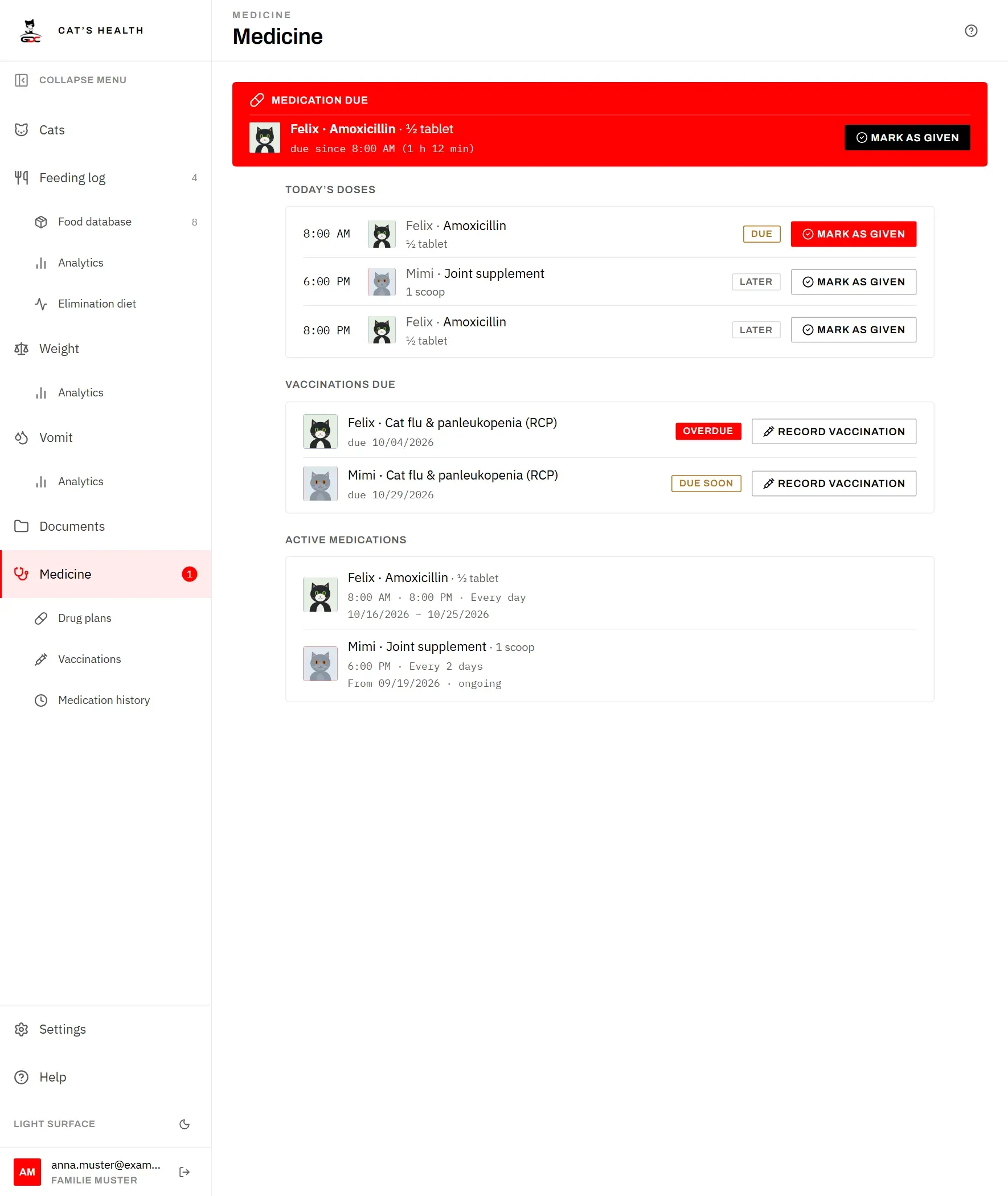
The screen has three parts:
- Today’s doses. Every dose planned for today, earliest first, for all cats. Each one is marked Due once its time has come, or Later if it is still ahead. Tap Mark as given when you have given it; the row then shows the time you did it. If you tapped by mistake, tap Undo. See Tick off a dose.
- Vaccinations due. Vaccinations that are Overdue or Due soon (within the next 30 days), the most urgent first. When you have been to the vet, tap Record vaccination in the row: the cat and the vaccine are already filled in. See Record a vaccination.
- Active medications. Every plan running today, with its times, rhythm and dates. Tap one to open Drug plans showing only that cat.
Cats that have died are left out here: they owe no doses and need no boosters.
The menu badge
The red number next to Medicine in the menu tells you how many doses need giving right now.
It counts today’s doses whose time has come and that have not been marked as given yet. It goes down as soon as someone taps Mark as given, on any device. A dose planned for later today is not counted until its time comes.
Overdue vaccinations are deliberately not part of this number. A dose is a job for right now, so the app pushes it at you, with the badge and the red banner on every screen. A vaccination is something to look up and book an appointment for in good time, so you find it on this screen and on Vaccinations when you look, without being nagged.