
The weight trend
A single weighing says little; the trend over weeks and months shows whether a cat is slowly gaining or losing weight. Analytics below Weight in the menu draws every weighing as a line chart.
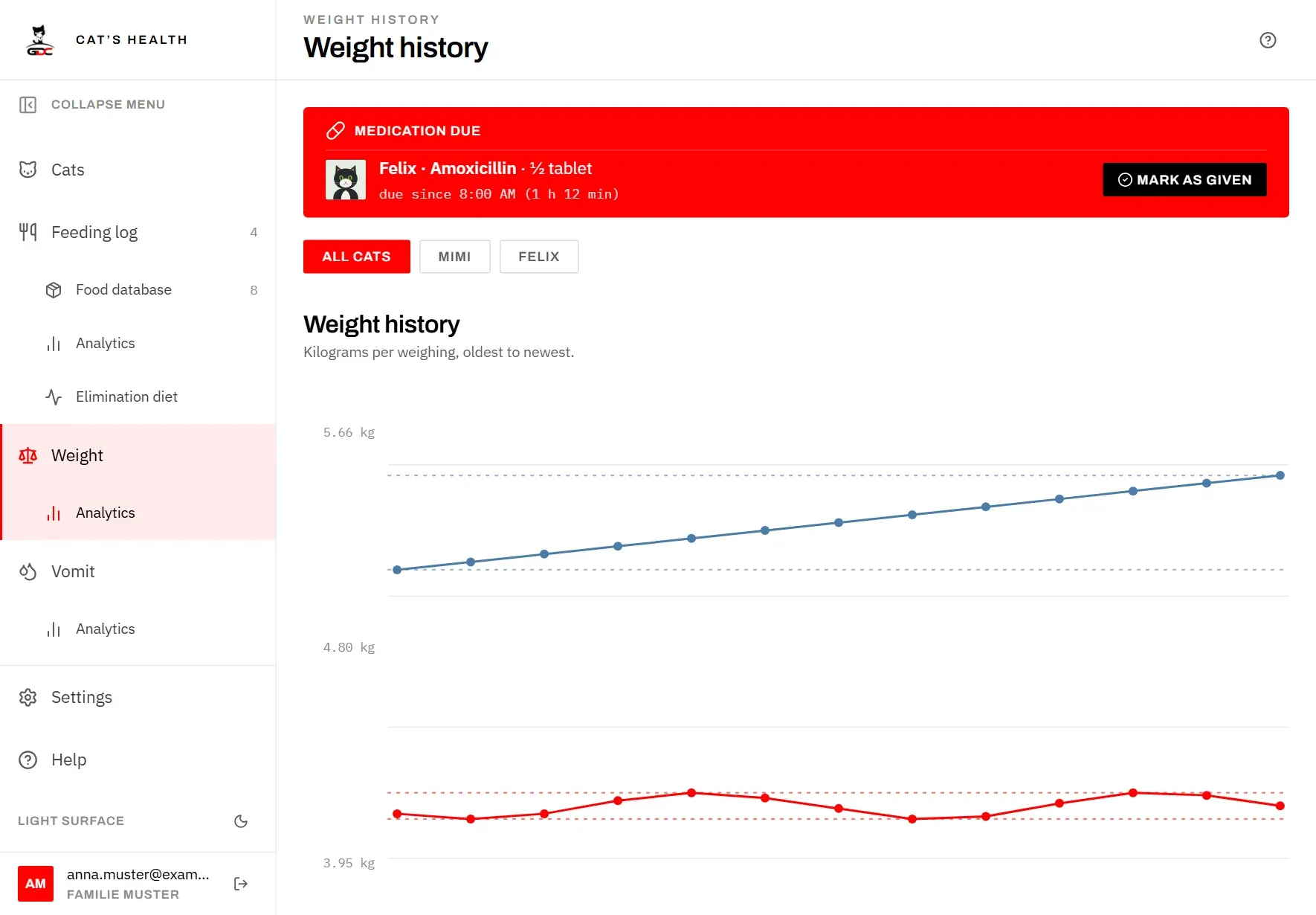
At the top, choose which cats to show:
- All cats draws every cat on one chart.
- Tap a cat’s name to show only that cat. Cats that have died are not offered here, as on the other screens; their history stays in the view of all cats.
How to read the chart:
- Each cat has its own line in its own colour, the same colour as its initials when it has no photo. Each dot is one weighing.
- The two dotted lines in the same colour mark that cat’s lightest and heaviest weighing so far. They appear once a cat has at least two different weights.
- On the left you see the weight at the top, middle and bottom of the chart. Below it you see the date of the first and the last weighing.
- The weighing days are spaced evenly from left to right, whatever the time between them. A steep step can therefore mean a few days or several months; check the dates in the list of weighings if it matters.
- On a computer, point at a dot to see the cat, date and weight of that weighing.
Below the chart there is one row per cat with Low / high (its lightest and heaviest weight), Weighings (how many there are) and its latest weight, or Never weighed.
A line needs at least two weighings; with only one you see a single dot. If nothing has been weighed yet, the page shows Not enough weighings yet — two per cat are needed. Weighings are entered on the Weight page (see Log a weighing).